

Build, deploy and scale with Azure in Visual Studio
Create cloud-first applications efficiently and securely using integrated tools and AI- capabilities all without leaving your IDE
Elevate your coding experience
Whether you’re developing web apps, APIs, or AI-powered solutions, deliver efficient, responsive applications with Visual Studio’s built-in, intuitive integrations.
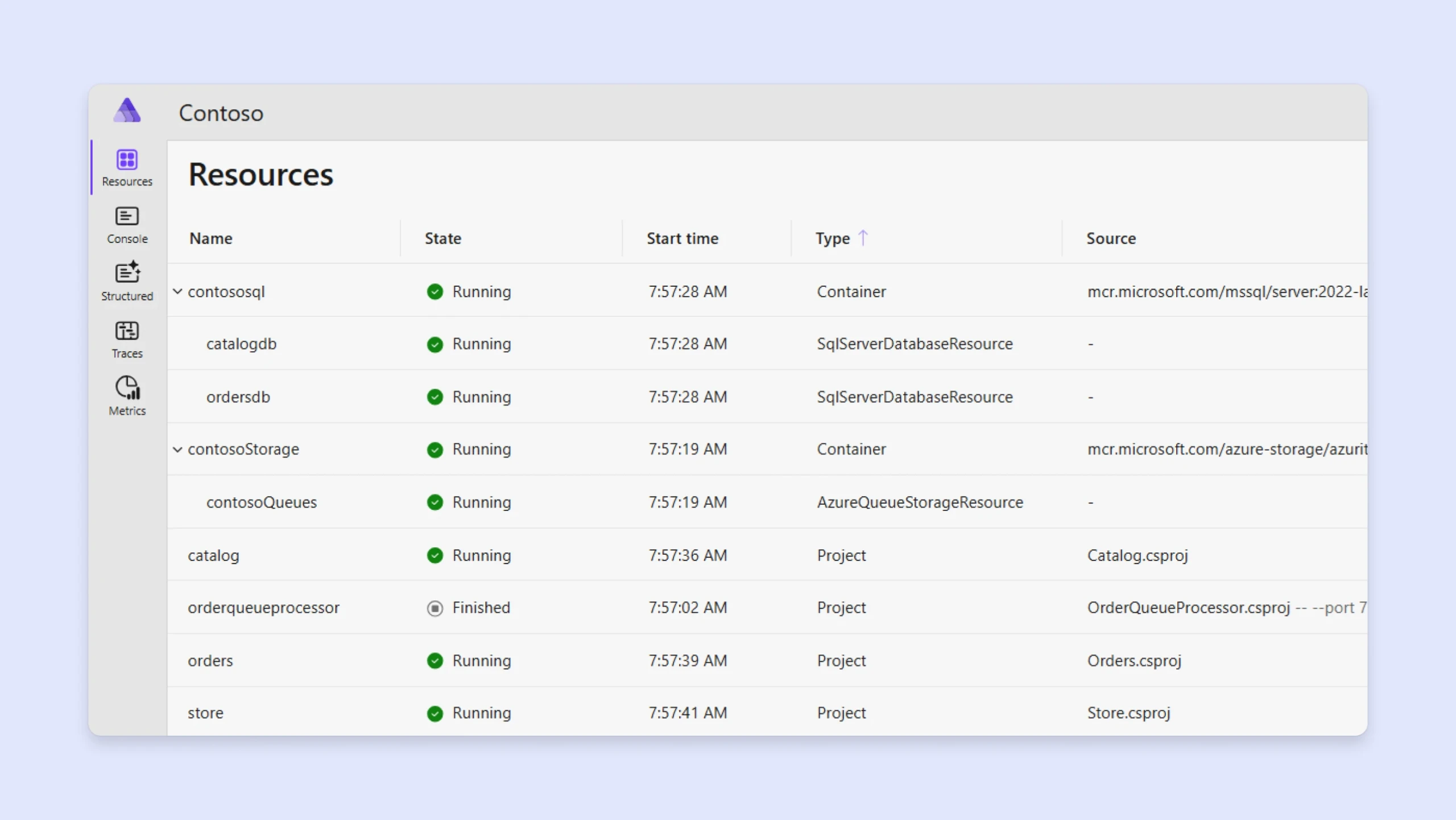
.NET Aspire
Streamline your development, from creation to cloud, with .NET Aspire. Easily define app dependencies, connect to popular cloud services, and diagnose app issues faster on your local machine.
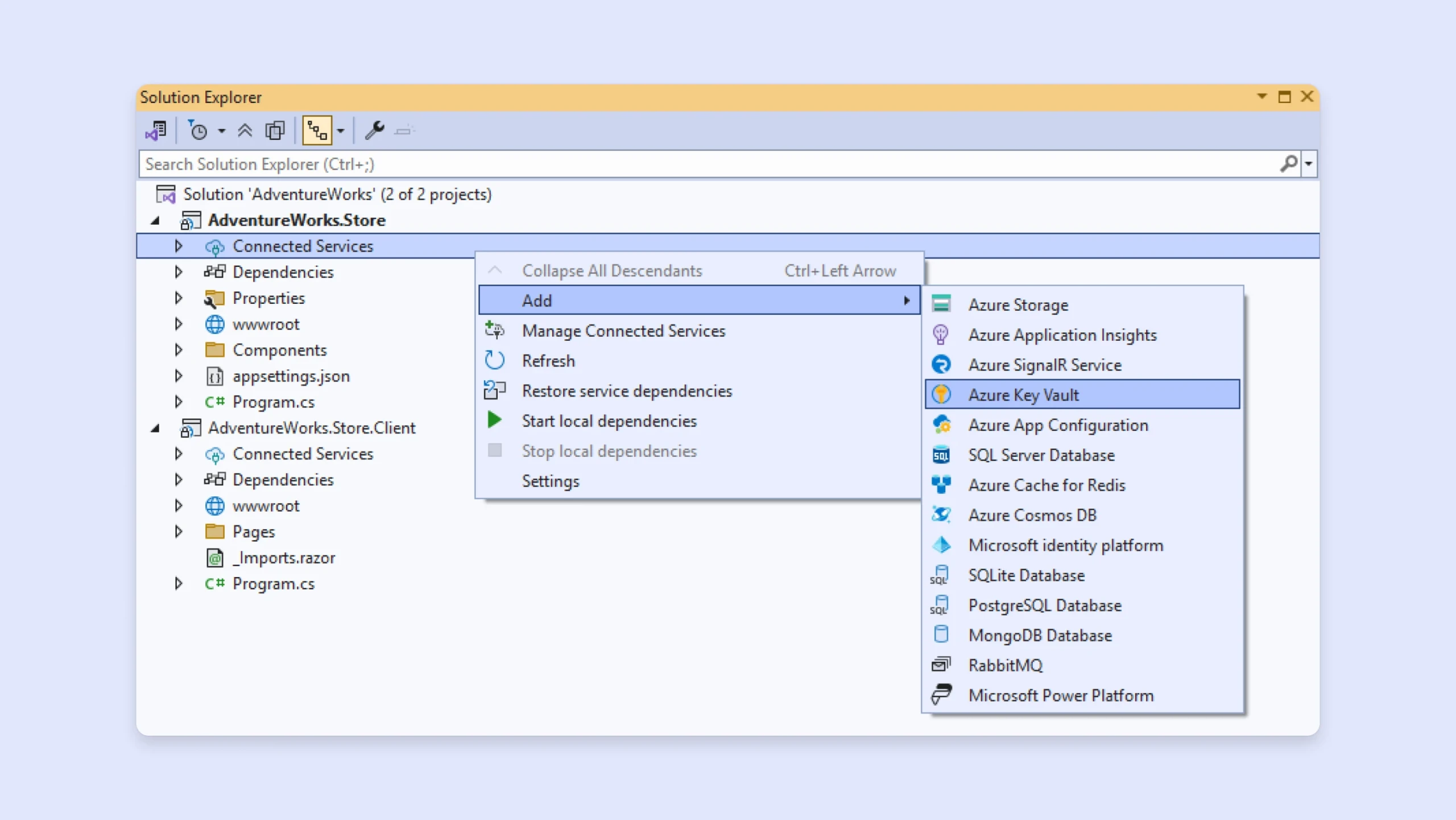
Azure services
Create robust, scalable applications with Azure services. Access essential building blocks like databases, storage solutions, networking tools, and more to help build and manage your apps in the cloud.
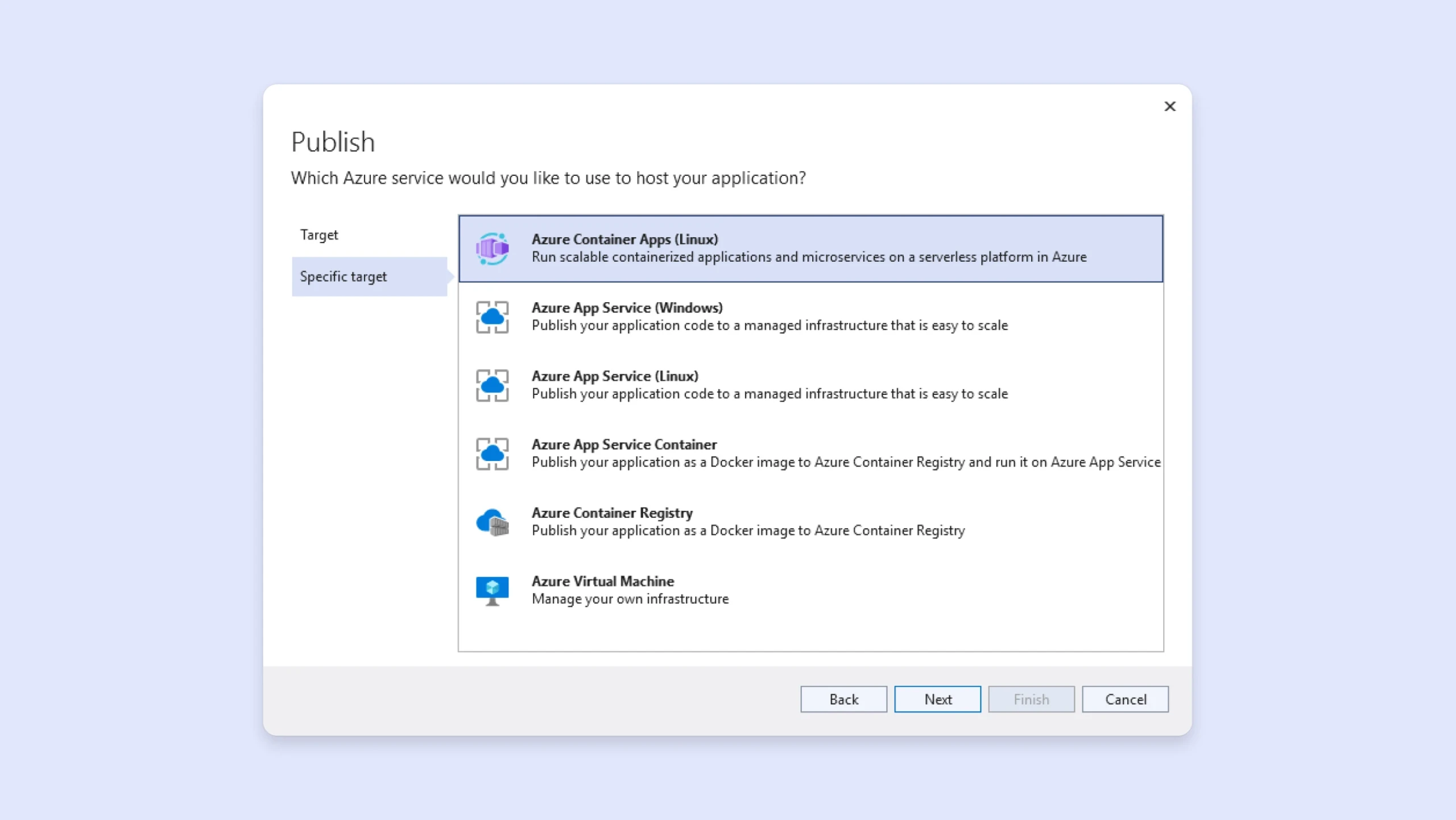
Azure Deployment
Write, test, and deploy applications in Azure for a streamlined coding experience. Visual Studio’s built-in connectivity to Azure allow developers to manage, debug, and deploy applications efficiently within a unified environment.

Seamless cloud development
Use Azure DevOps and GitHub Actions for CI/CD automation.

One-click deployment
Deploy web apps, containers, and serverless functions with minimal setup.

Cloud-powered debugging and diagnostics
Use Live Debugging, Profiler, and Application Insights for real-time monitoring.

One-click deployment
Easily integrate with Azure databases, AI services, and security tools.
Quick start your coding with Azure in Visual Studio
Easy get-started tips to building cloud-powered applications.
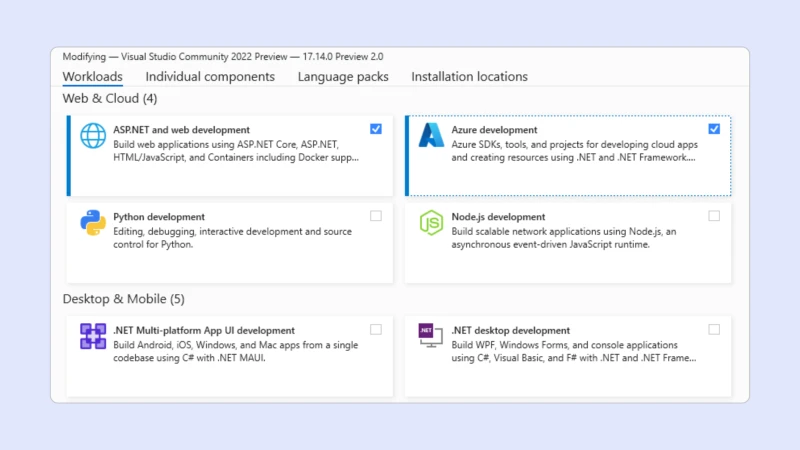
01 Install Azure Development Workload
- Open Visual Studio Installer.
- Select Azure development from the Workloads options.
- Choose Modify to install.
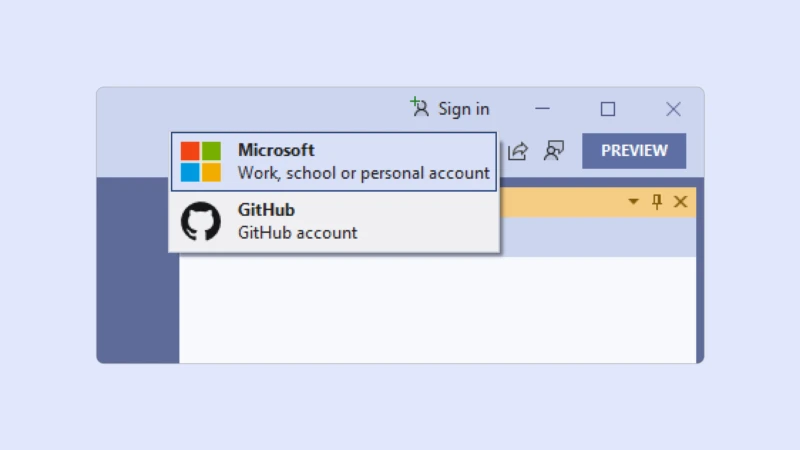
02 Sign in to Azure
- Open Visual Studio.
- Select Sign in.
- Login with your GitHub, Microsoft work, school, or personal account.
03 Connect your code to Azure
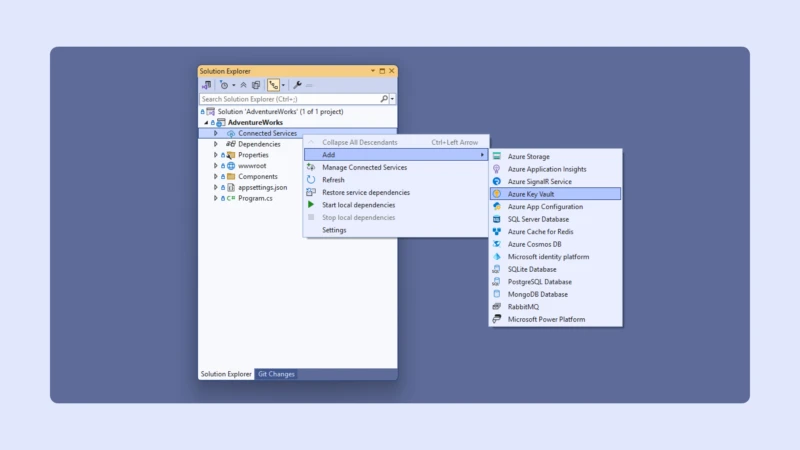
- Open a new project in Visual Studio.
- Under your project name right-click Connected Services and select Add.
- Choose the service you want to use and follow the applicable prompts.
04 Deploy your app to Azure
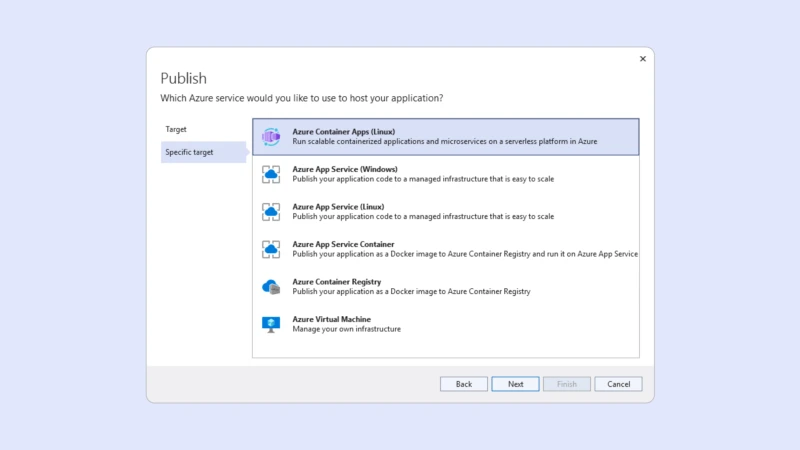
- Right-click your project and select Publish.
- Select Azure.
- Choose your hosting service from the Specific target options and follow the prompts in the Publish Wizard.
05 Automate your deployments using CI/CD
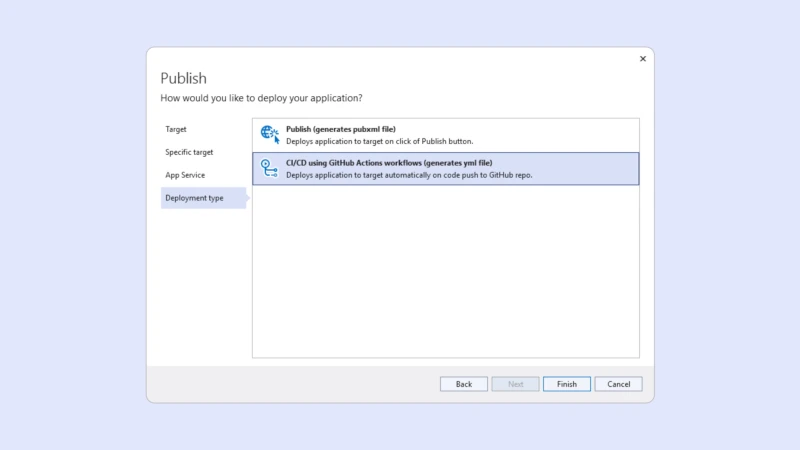
- Sign-in with your GitHub account.
- Use Visual Studio’s GitHub tools to push your code to a repository using the Publish Wizard.
- Under Deployment Type, select CI/C using GitHub Actions workflows (generates yml file).
Discover developer-approved Azure services
Explore Azure’s most popular services for seamless integration and a tailored coding experience.
Explore Azure services
Azure App Service
- Maintain less infrastructure and costs through running containerized apps in a serverless platform.
- Host background processes while handling event-driven actions with scaling.
- Deploy API endpoints and run microservices.

Azure Kubernetes Service (AKS)
- Write event-driven, scalable, serverless apps with minimal infrastructure management.
- Use triggers (HTTP, Timer, Queue) to automate workflows.
- Ideal for lightweight APIs, automation scripts, and real-time processing..

Azure SQL Database and Cosmos DB
- Integrate AI models with Cognitive Services (vision, speech, language, etc.).
- Train and deploy ML models with Azure Machine Learning.

Azure Container Apps
- Deploy full-stack web applications with built-in scaling and security.
- Supports .NET, Node.js, Python, Java, and more.
- Integrates with DevOps for CI/CD.

Azure Container Apps
- Orchestrate and scale containerized applications with Kubernetes.
- Seamless integration with GitHub Actions and CI/CD pipelines.

Azure Container Apps
- Fully managed databases for relational (SQL) and NoSQL (Cosmos DB) data.
- Global scalability with built-in AI-powered performance tuning.
Go from code to cloud with Azure
Publish and deploy with Visual Studio. Let Azure monitor, scale, and securely host so you can focus on building.
See how it worksScale from your first user to your millionth, or billionth
Effortlessly scale up to meet increased demand, or scale down to cut costs. Deploy to data centers around the world. When you run your code in Azure, it’s ready to grow when you are.
Learn more about scaling your applications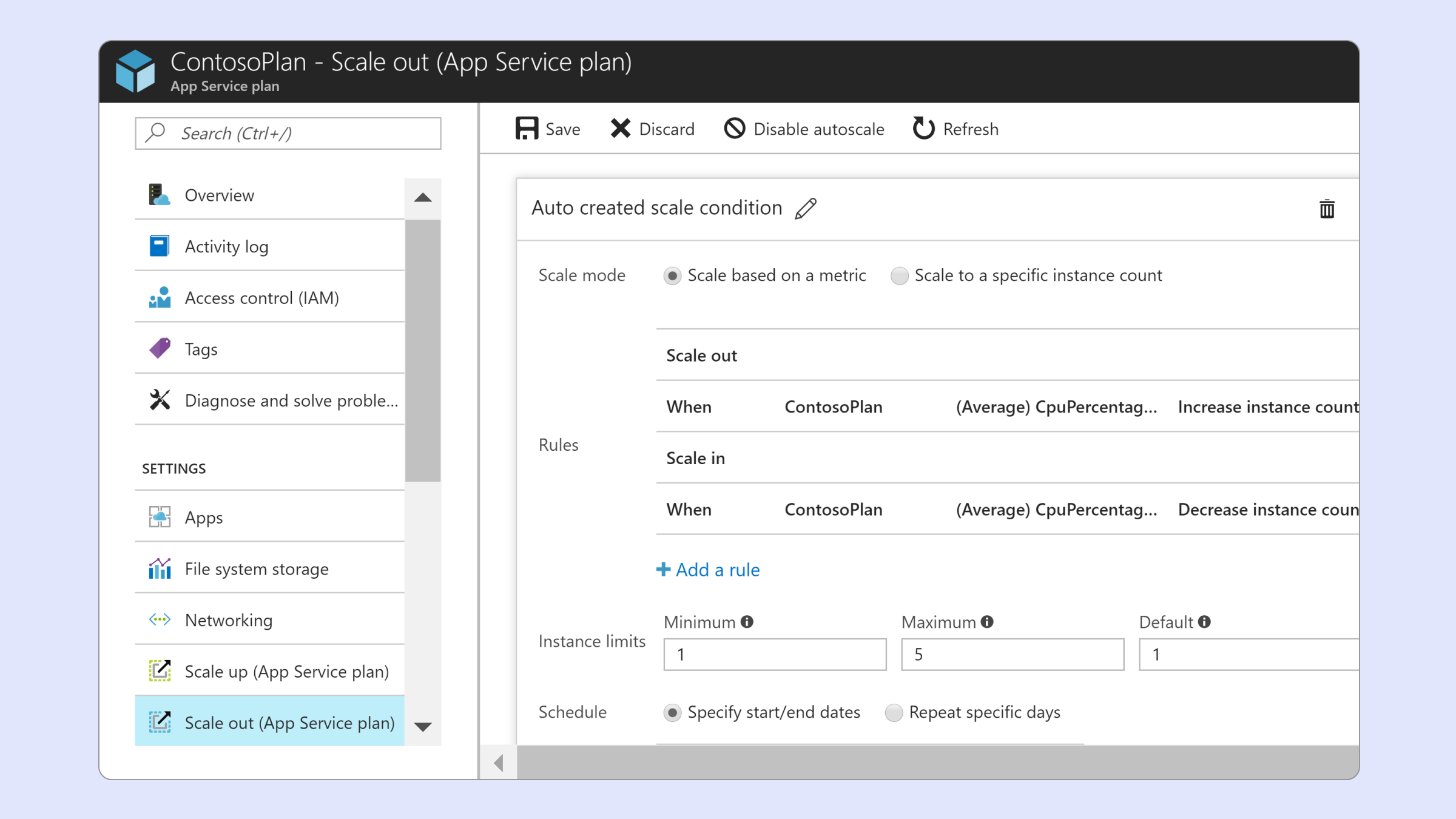
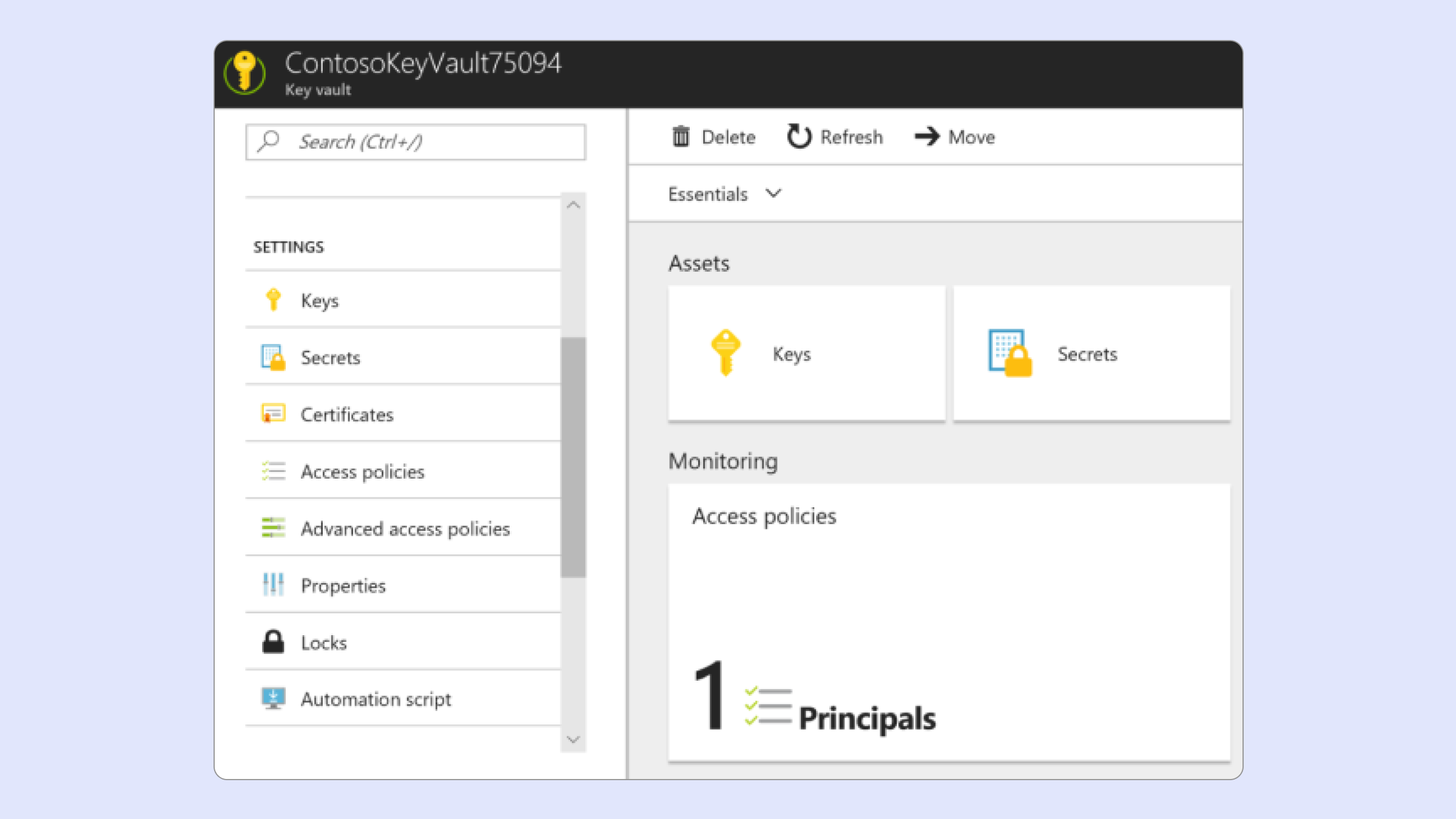
Keep it secure
With Azure, security and simplicity go hand in hand. Build secure applications by leveraging Azure functionality such as Key Vault and claims-based identity services. Build your customers’ trust by storing their important data in a cloud that has earned more certifications than any other provider.
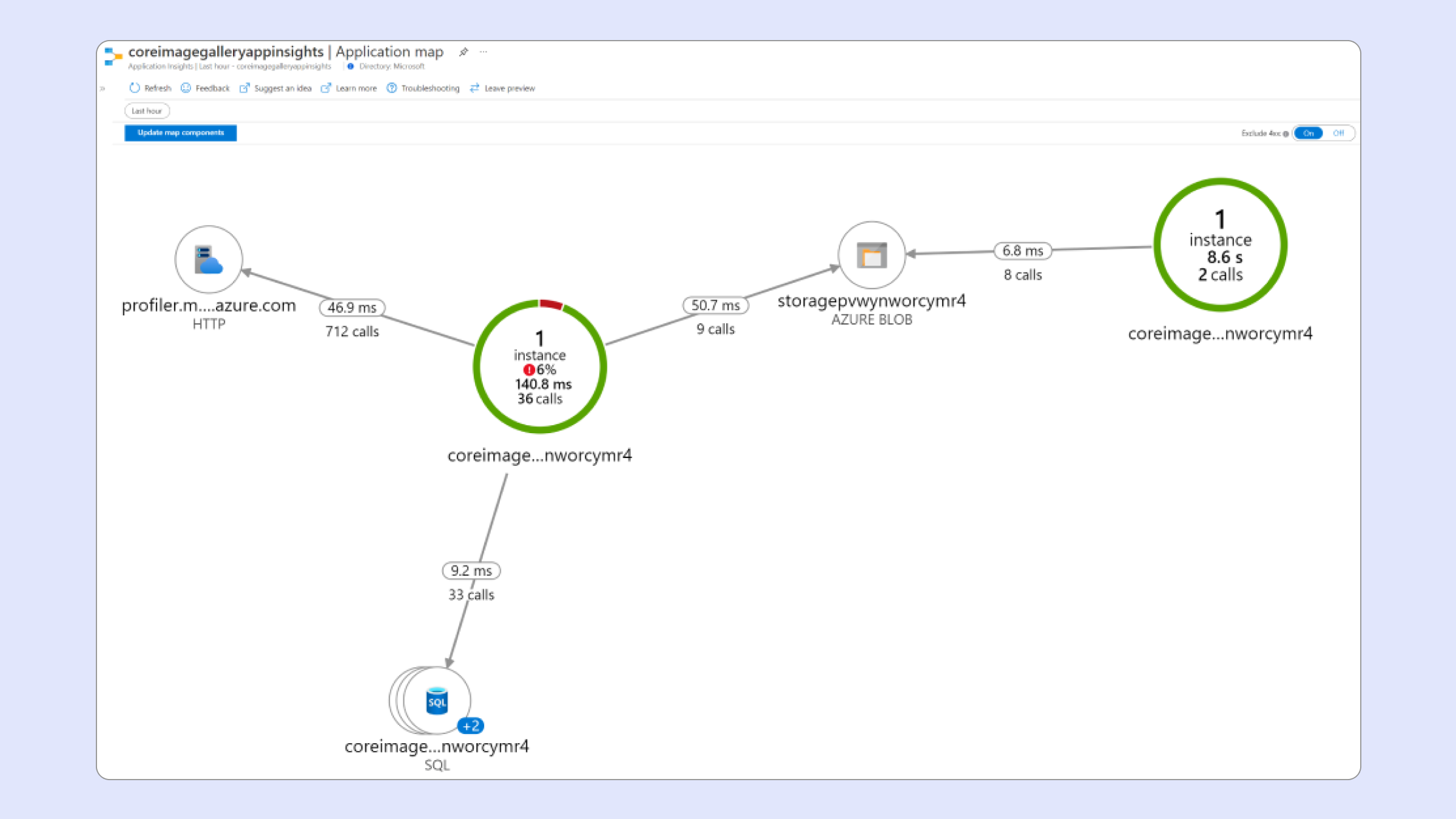
Fix problems before your users even notice
Diagnose and debug apps in your production environment without having to reproduce them locally by quickly attaching Visual Studio’s remote debugger. Debug errors that are hard to reproduce or that happen in deployment by recording specific events.
Get started with Azure credits
New to Azure? Start building with free Azure credits. Whether you’re a student, a startup, or an enterprise, you can explore Azure services with free resources to kickstart your cloud projects.


