

Collaborate on code
Seamlessly manage your code and work together, in any way you need

Flexible and extensible version control
Use Git for distributed version control or Team Foundation Version Control (TFVC) for centralized version control right out of the box. Utilize the built-in GitHub and Azure DevOps integration for your remote provider, or install extensions to enhance the experience for other version control providers.
Read the Git documentationBuilt for team development
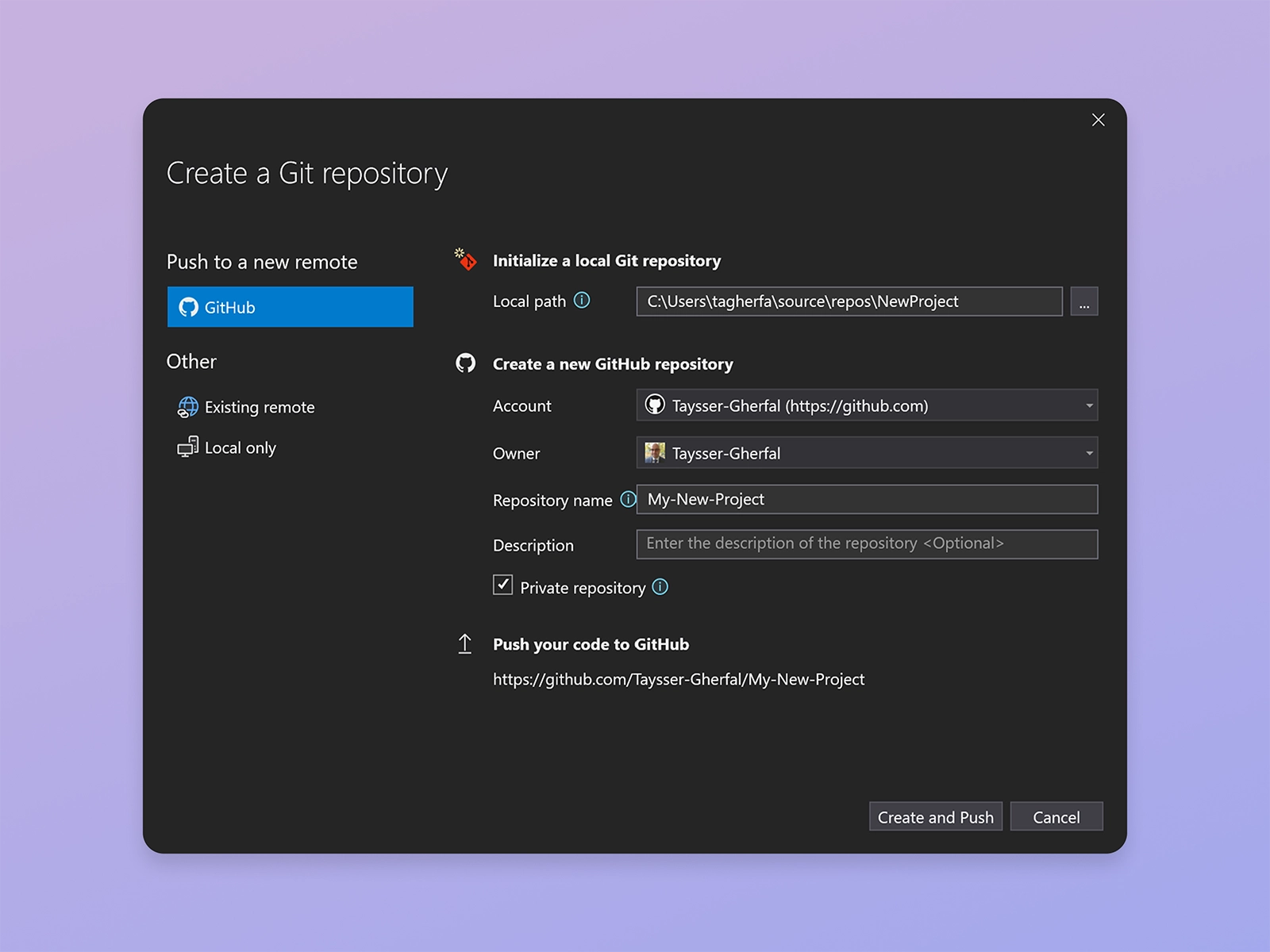
Developers can add their code to Git and GitHub with a single click by creating a new GitHub repository, which is private by default. In addition, users can choose to create a local only git repository or add their code to an existing remote repository on GitHub and Azure DevOps.
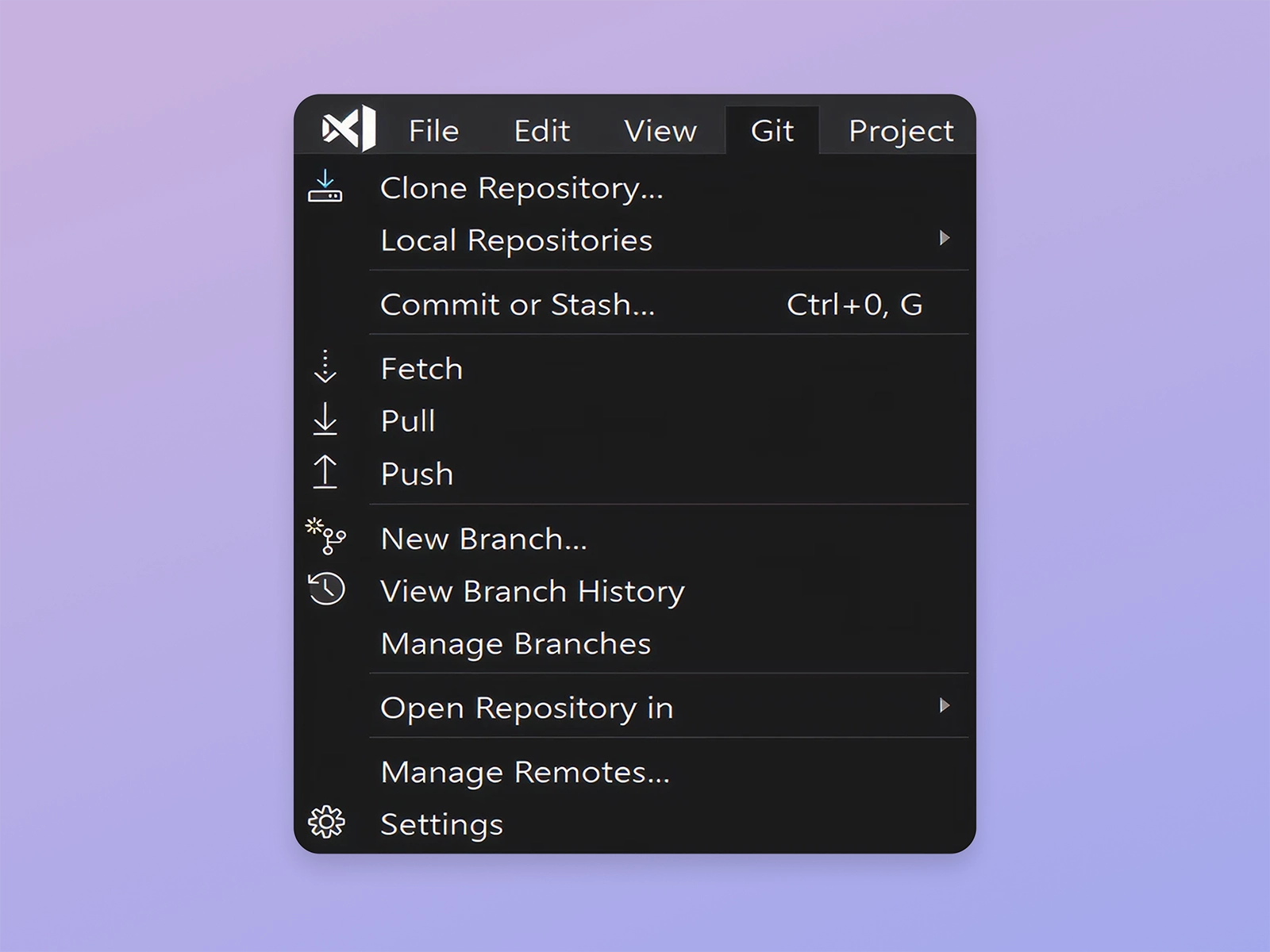
Developers can now access their favorite Git features using the new top level Git menu, accessible through the Alt+G keyboard shortcut. Users can also easily switch between their local git repositories using the Local Repositories submenu.
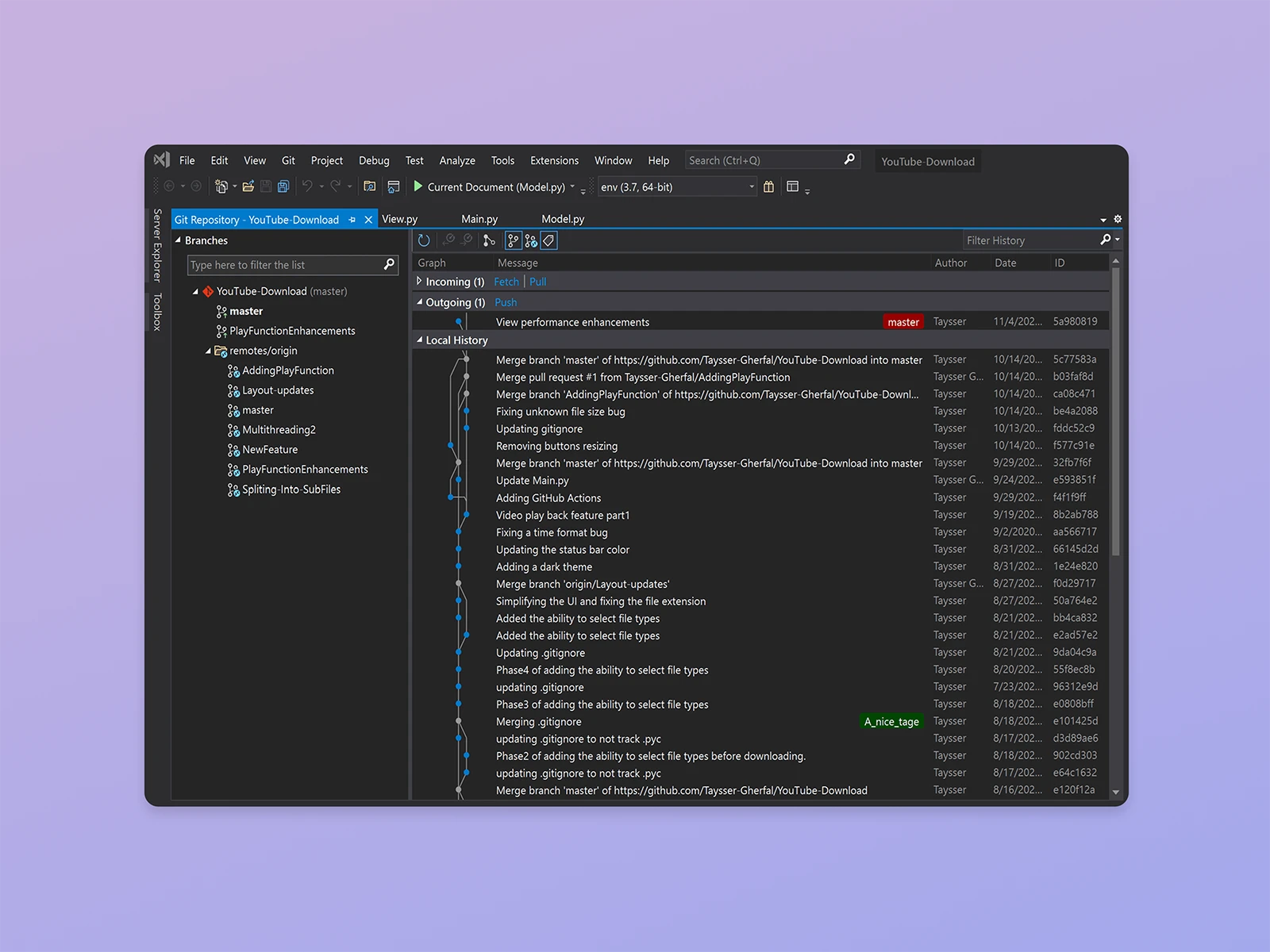
The new Git experience comes with a rich Repository window that makes it easy to visualize and manage your repository. The Repository window is accessible through the Git menu, the View menu, the status bar, and the outgoing / incoming link on the Git Changes window.
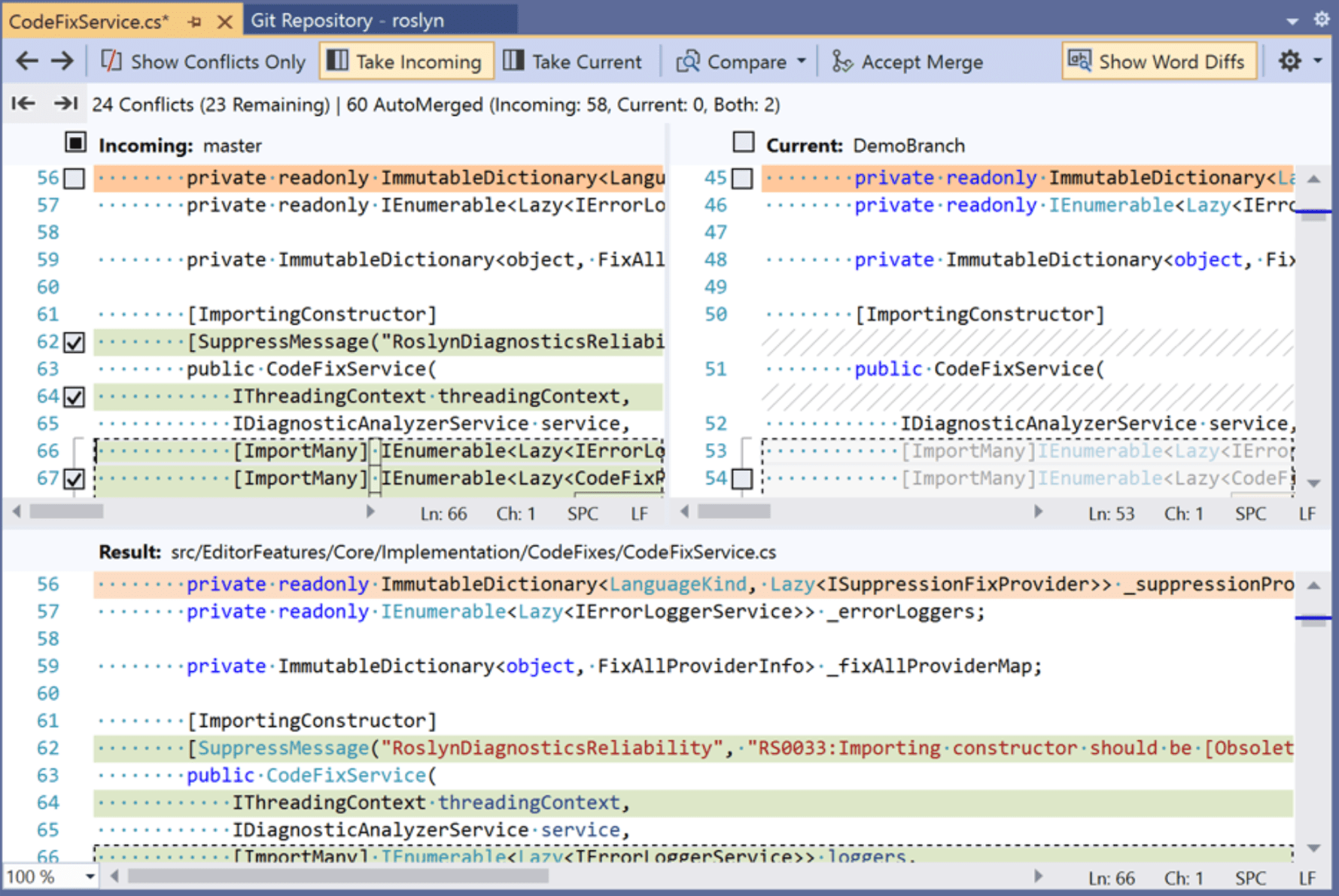
Enhanced conflict resolution experience
Developers now can easily compare lines by using the new show word diffs feature. It is now possible to accept all current or incoming changes with a single click.
Work together in real time
Use Live Share to connect to the sessions of your co-workers. Get to the bottom of an issue fast by allowing your team to navigate, set break points, and type in your editor session.
Learn more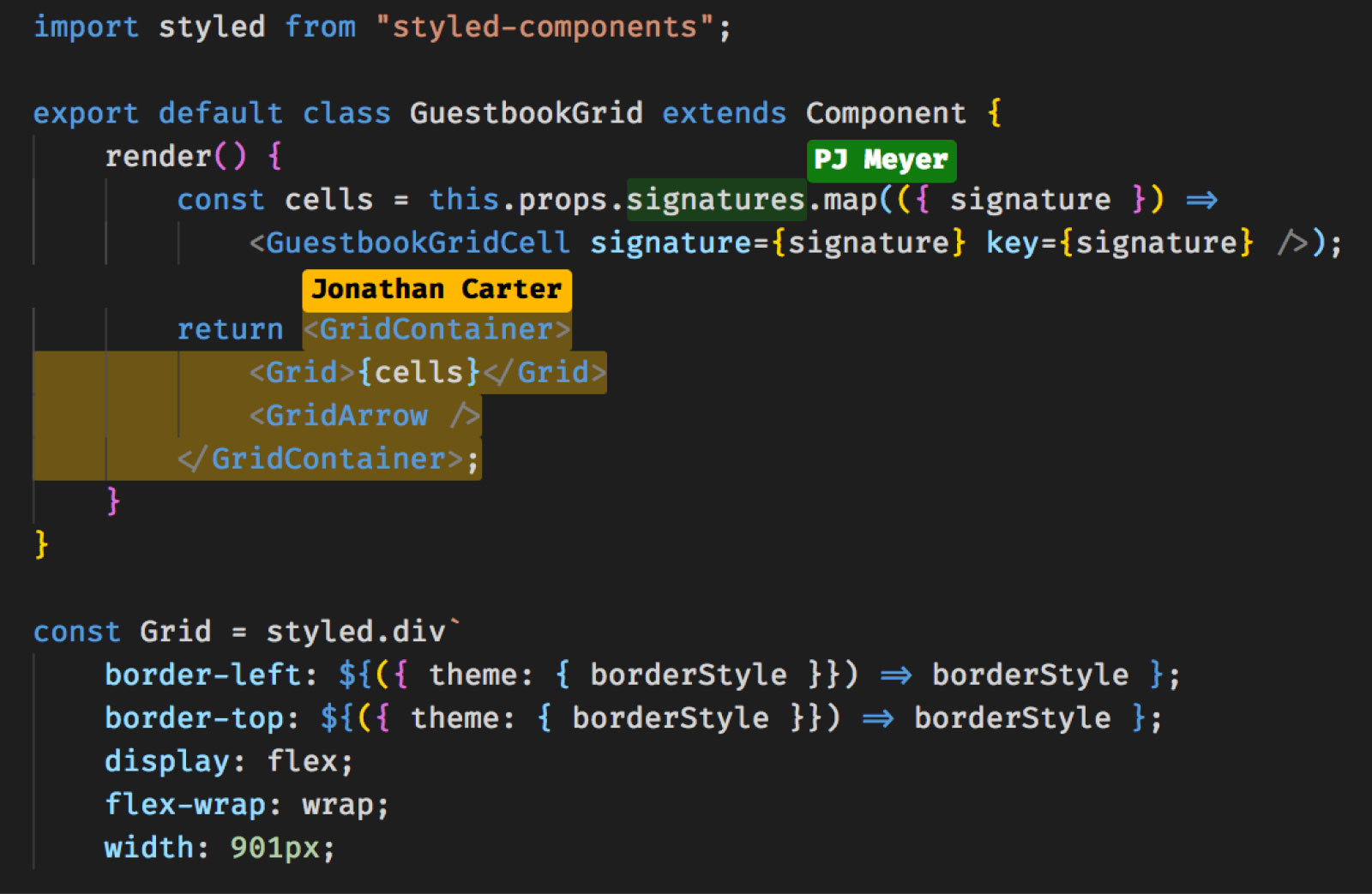
Download the latest Visual Studio
Visual Studio Community
Free, fully-featured IDE for students, open-source and individual developers.
Learn moreVisual Studio Professional
Powerful developer tools, services, and subscription benefits for efficient small-team collaboration.
Learn moreVisual Studio Enterprise
Advanced debugging, enterprise security, AI-assisted development—plus Azure Credits and Dev/Test pricing for the cloud.
Learn more


